HACCP records spreadsheet for Excel
Keep your daily food safety records in one place: fridge and freezer temperatures, cooking and cooling checks, deliveries, cleaning, corrective actions. Out-of-range readings turn red on their own, and a dashboard shows what needs attention.
Price and release date will be announced when the Etsy shop opens.
- Format
- .xlsx workbook (Excel)
- Works with
- Microsoft Excel, desktop or 365
- Capacity
- 300 temperature readings, 100 cooking and cooling checks, 150 deliveries, 30 cleaning tasks over 31 days
- Language
- English
- Licence
- One business
- Status
- In final checks, price to be announced
What you get
Temperature log that judges itself
Pick the fridge, freezer or hot-holding unit, type the reading, and the sheet says OK or OUT against the limit for that type of equipment.
Cooking and cooling checks
Record the core temperature reached, then the cooling time and temperature. Each check shows a clear pass or fail against your limits.
Receiving and suppliers
Log deliveries with temperature and condition. A supplier list shows when each review is due.
Cleaning schedule and corrective actions
A 31-day grid for cleaning tasks with a completion rate, and a log of what went wrong, what you did, and who closed it.
Printable daily checklist
One page for the pass or the office wall, for the kitchens that still prefer a pen.
Dashboard
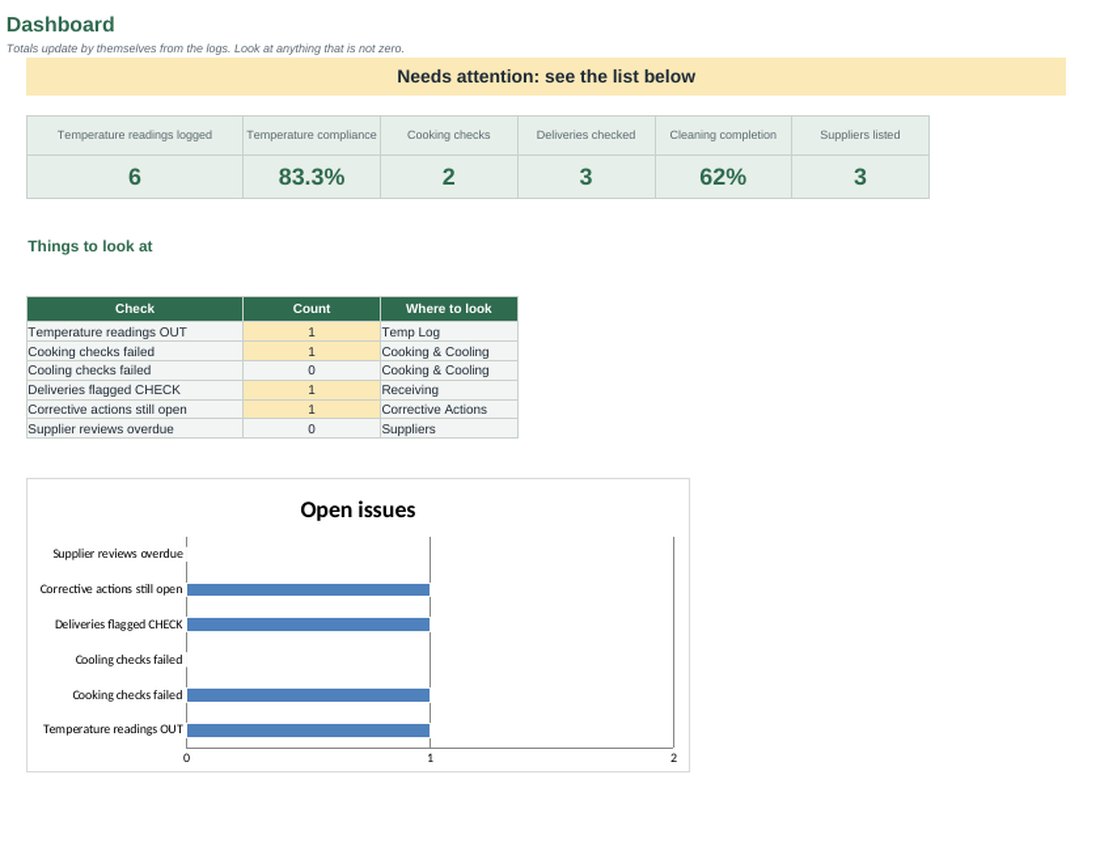
Readings out of range, failed checks, open actions and overdue supplier reviews in one view.
Inside the workbook
Planning tool, not accounting, tax or legal advice. Example data is invented.
| Sheet | What it does |
|---|---|
| Settings | Temperature limits by equipment type, cooking, cooling and delivery limits |
| Equipment | Your fridges, freezers and hot-holding units |
| Temp Log | Daily readings with an automatic OK or OUT |
| Cooking & Cooling | Core temperature, cooling time and result |
| Receiving | Deliveries with temperature and condition checks |
| Cleaning | 31-day cleaning schedule with completion rate |
| Corrective Actions | What happened, what you did, who closed it |
| Suppliers | Approved suppliers and review dates |
| Daily Checklist | Printable one-page checklist |
| Dashboard | All the red flags in one place |
What a reading looks like
A fridge set to a 5° maximum is logged at 8°. The reading is marked OUT, it counts on the dashboard, and the corrective action log is where you note that the stock was moved and the engineer called. The limits are common defaults that you can change in Settings.
Questions
Is this a complete HACCP plan?
No. It is a set of records. Your HACCP plan, hazard analysis and critical limits come from your own process and your local food safety authority. The workbook helps you prove that you checked.
Are the temperature limits legal requirements?
They are common defaults, such as 5° for chilled storage and 75° for cooking. Rules differ by country, so check yours and change the limits in Settings.
Can I print it?
Yes. Every sheet has print settings, and the Daily Checklist is designed to be printed on one A4 page.
While you wait
The recipe costing spreadsheet and the free food cost calculator are the first tools of the toolkit.